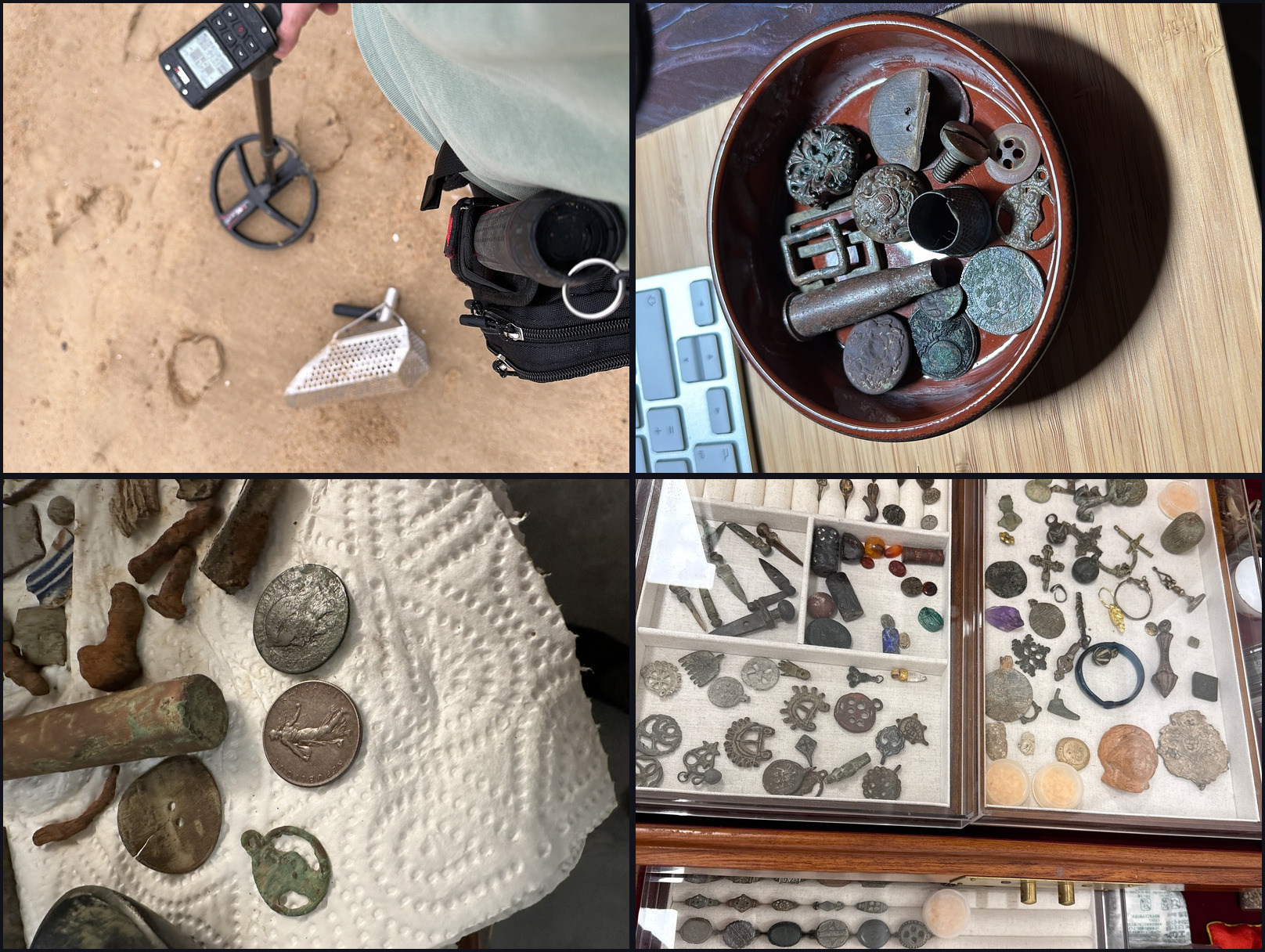
I started collecting as a kid in northern France, digging random holes in fields with a shovel—no metal detector, just intuition and stubbornness. World War I and II relics were everywhere: shell casings, buttons, buckles, fragments of a continent’s violent century. Three decades later, I have over 1,500 objects, a proper Deus XP detector, and a problem: how do you catalog, photograph, and share a collection this size?
The answer, it turns out, is to build something yourself.
The Problem with Existing Tools
I tried the obvious solutions. Notion databases with photos crammed into cells. Spreadsheets that became unwieldy after fifty entries. Instagram, where my carefully photographed coins disappeared into an algorithmic feed designed for engagement, not preservation. Collection management apps that couldn’t accommodate the fields I needed or the relationships between objects I wanted to track.
Nothing fit. The tools were either too rigid (fixed schemas that didn’t understand the difference between a Roman denarius and a Sasanian stamp seal) or too chaotic (social media that scattered my collection across posts without structure). I wanted something that felt like a museum catalog but lived on the web. Something I owned completely.
So I built it.
The Photography Problem
Before the website, there was the photography problem. Small, reflective, ancient metal objects are notoriously difficult to photograph well. The challenges:
Reflections. Silver and bronze are mirrors. Point a light at a denarius and you get a hot spot. Point it at a different angle and you lose definition in the legends. The surface texture that makes ancient coins beautiful—the toning, the patina, the evidence of age—disappears under harsh lighting.
Scale. A 19mm coin needs to fill the frame while remaining sharp across its entire surface. The depth of field at close distances becomes razor-thin.
Color accuracy. The warm gold of a late Roman solidus, the gray-green patina of an ancient bronze, the blue-black toning of a well-preserved denarius—these are the colors collectors care about. Get them wrong and the photograph lies.
Consistency. With hundreds of objects, I needed a repeatable process. Every photograph needed to look like it belonged to the same catalog.
The Lightbox Solution
A SANOTO photo lightbox solved most of these problems at once. The diffused lighting from multiple angles eliminates harsh reflections while preserving surface detail. The neutral background provides consistency. The enclosed space means consistent color temperature.
Camera Settings That Work
I’m a total beginner at photography. The camera—a Fujifilm X-T50 paired with the XF 30mm f/2.8 Macro lens—was chosen on a friend’s recommendation and with AI guidance. After experimentation, these settings consistently produce sharp, accurate images:
The key insight: a dedicated macro lens changes everything. The XF 30mm f/2.8 Macro allows true 1:1 magnification—filling the frame with a small coin while maintaining edge-to-edge sharpness. At f/5.6, I get enough depth of field to keep the entire coin face in focus while staying in the lens’s sharpest aperture range. Manual focus with focus peaking is essential—autofocus often grabs the wrong plane on reflective surfaces.
The Tech Stack
With photographs sorted, I needed a home for them. My day job is C, C++, and Rust—building low-latency systems for finance. Web development isn’t my world. But the modern stack, combined with AI assistance, made this feasible.
Why Astro
An AI recommended Astro, and the recommendation was right. Astro generates static HTML at build time. No JavaScript framework running in the browser (unless you opt in). The result is fast—really fast—and simple to reason about.
For a collection archive, this is perfect. The content is mostly static. It doesn’t need real-time updates or complex client-side state. It needs to load quickly, work everywhere, and be maintainable.
YAML as Database
The items themselves live in YAML files—one per object. This was a deliberate choice against a “real” database:
Human-readable. Version-controllable with Git. No database server required. Adding a new item means creating a new text file. The build process reads all YAML files and generates the corresponding pages.
Progressive Image Loading
Images are the heaviest part of any collection site. To keep the experience smooth, the site uses ThumbHash—a compact representation of an image as a blurry placeholder. When you load a page, you see the blur instantly while the real image downloads.
This scans every image in the collection and generates a 28-byte hash that can be decoded client-side into a blurry approximation. The effect is subtle but significant: pages feel instant even on slow connections.
Search
Pagefind handles search. At build time, it indexes every item page and generates a static search index. No server required—the search runs entirely in the browser against pre-built index files.
The result is fast, works offline, and costs nothing to operate.
The AI-Assisted Workflow
This project wouldn’t exist without AI. The AI wrote all the code. Every component, every style, every script. I don’t know web development—CSS, JavaScript, Astro, Tailwind—none of it was in my toolbox before this project.
I’m a systems programmer. I write C++ for trading systems, Rust for performance-critical infrastructure. Web development was foreign territory. Without AI, I simply wouldn’t have built this. The learning curve would have been months, maybe a year, to reach the level of polish I wanted.
Instead, I described what I wanted and got working code. When something broke, I asked why. When I wanted something different, I described it in plain language. The AI wrote it, I reviewed it, and together we iterated until it was right.
The biggest innovation isn’t the models themselves. It’s the tooling around them—the ability to give an AI access to your codebase, let it read files, propose edits, and iterate with you. Claude Code, running in my terminal, can see the same files I see. It can search, read, and propose changes. The feedback loop is measured in seconds, not hours.
This is a genuine shift. Complex projects that would have required hiring specialists or months of self-study are now accessible to anyone willing to learn alongside an AI collaborator.
What I Brought, What AI Brought
The division of labor was clear:
AI handled:
- All the code. Components, layouts, styles, scripts, build configuration.
- Technical decisions within its domain. Which CSS approach, how to structure components, performance optimizations.
- Debugging. When something broke, I described the problem and AI fixed it.
- Learning on my behalf. I didn’t need to understand Tailwind’s utility classes in depth—I just needed to describe what I wanted.
I handled:
- Vision. What the site should feel like. The aesthetic I wanted.
- Domain knowledge. What fields matter for cataloging ancient objects. How collectors think about their items.
- Quality control. Knowing when something looked right versus when it needed another iteration.
- Content. The photographs, the descriptions, the research, the articles.
The result is a collaboration where the AI is far more than an assistant—it’s the technical co-founder I couldn’t have afforded to hire. But the soul of the project, the reason it exists and what it’s for, that’s human.
What’s Next
The archive is live, but it’s not finished. Some plans:
More of the Collection
I have 1,500+ objects. The archive currently shows a fraction. The photography workflow is the bottleneck—each piece needs to be photographed, processed, cataloged, and researched. It’s meditative work, but it takes time.
Articles and Research
Each object has a story. The cylinder seal from Uruk. The denarius that circulated when Marcus Aurelius ruled Rome. The Byzantine tetarteron from Constantine IX’s debased coinage. I want to tell those stories, connecting individual pieces to the broader sweep of history.
The Field Analyzer Project
This is the ambitious one. I’ve designed a portable device for field identification of metal detector finds:
- XRF spectroscopy for metal composition analysis
- Computer vision for pattern recognition and attribution
- Phone connectivity for processing power and storage
- Geolocation to map finds as they’re discovered
The device would capture without requiring the phone present, storing data for later analysis. Imagine: dig up an unidentified bronze, scan it, and immediately know if it’s Roman, Byzantine, or modern. See the alloy composition. Log the find location. Build a map of your detecting sites over time.
This requires partners—engineers with hardware experience, perhaps investors for prototyping. If you’re reading this and the idea resonates, I’d love to hear from you.
Community
The archive is personal, but it doesn’t have to be solitary. I’m interested in connecting with other collectors, researchers, and builders. Maybe shared ownership models for significant pieces. Maybe collaborative cataloging. Maybe just conversations with people who care about these objects as much as I do.
Building this archive has been an unexpected pleasure. The intersection of ancient objects and modern technology, of childhood curiosity and adult engineering, of AI assistance and human judgment. The coins and seals don’t know they live on the internet now. But they’ve survived millennia—a few more centuries in digital form seems like a reasonable next chapter.